



A Japanese romaji typing simulator using Gemini.
Since it can be output directly as an AE Script, it’s very useful.
The annoying typing effect—done in one click.  Click here
How to use
1.
When you first visit the webpage, you’ll see a prompt asking you to enter a Gemini API key.
2.
3.
Enter the issued API key into the input field and save it to use the service.
Detailed steps
1.
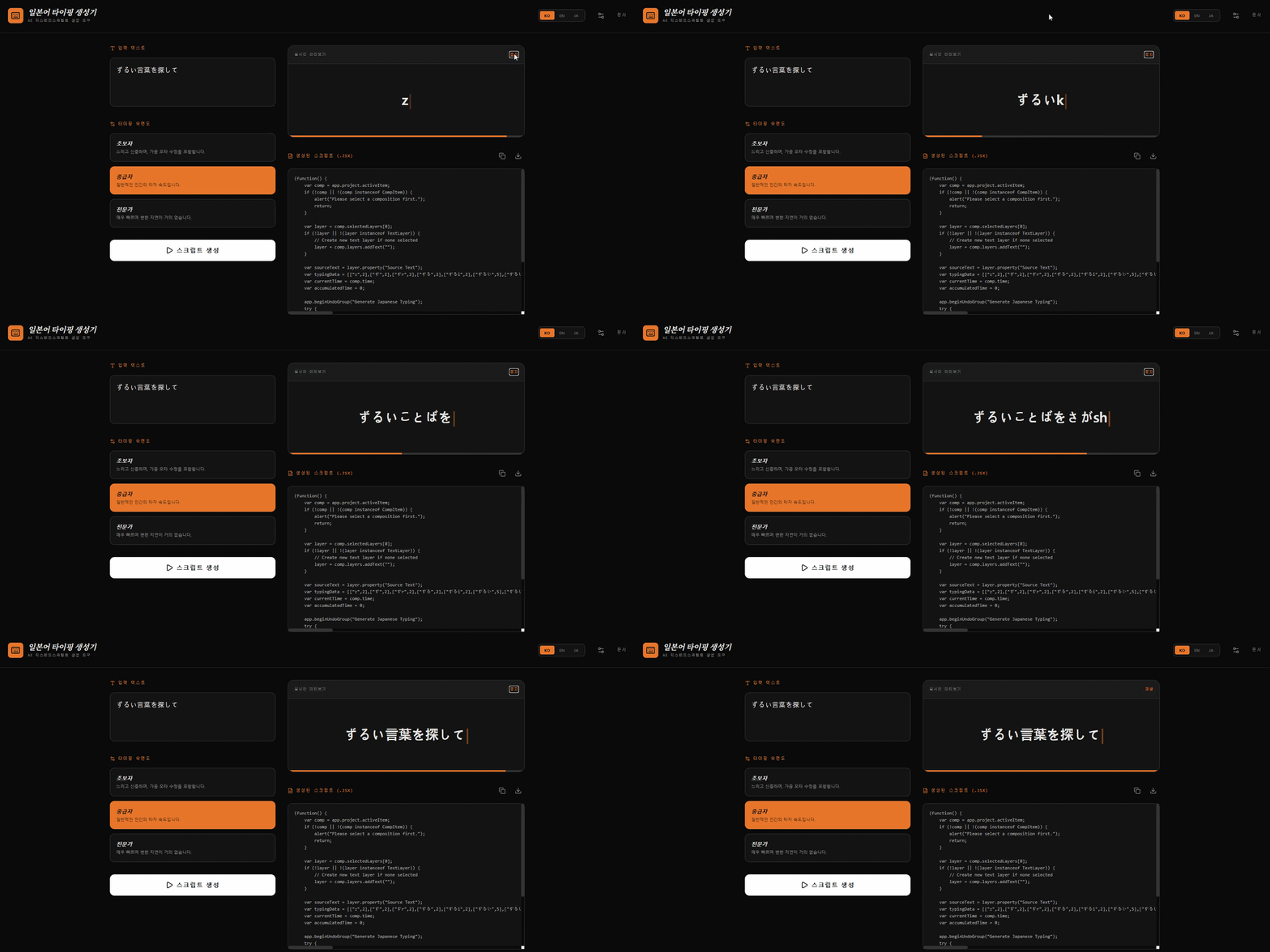
In the text input box at the top left of the screen, enter the Japanese sentence you want to apply the typing effect to.
2.
Select the typing speed you want, then click the [Generate Script] button.
3.
Script generation takes about 1 minute. Please wait a moment.
4.
When it’s finished, a script you can copy or download will appear on the right, along with an animation preview.
5.
Click the [Play] button at the top right to preview the generated typing animation.
6.
If there’s anything you’re not satisfied with, try generating again.
Tip: If you use the Quickscript plugin provided on the AEscripts website, it’s much more convenient to copy, paste, and run the generated script.
Quickscript plugin provided on the AEscripts website, it’s much more convenient to copy, paste, and run the generated script.